6. Saving progress
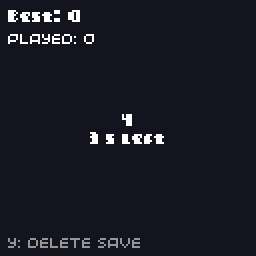
Players expect a game to remember their best score, their unlocked levels and their settings. The SDK saves a block of data per slot, and on the console calls your game just before the player quits so it can save.
// Saves: keep a best score between sessions.
//
// Press A as many times as you can in 5 seconds. The best score is saved
// with write_save() and loaded again with read_save() the next time the
// game starts.
#include "32blit.hpp"

using namespace blit;

// Everything that is saved goes in one plain struct. Add a version number
// so a later build of the game can recognise (and upgrade) old saves.
struct SaveData {
  uint32_t version = 1;
  uint32_t best = 0;
  uint32_t games_played = 0;
};

SaveData save;

enum class State { ready, playing, done } state = State::ready;
uint32_t round_start = 0;
uint32_t score = 0;
bool new_best = false;

void save_now() {
  write_save(save);
}

void init() {
  set_screen_mode(ScreenMode::hires);

  // read_save() returns false when there is no save yet (or it is the wrong size)
  if(!read_save(save) || save.version != 1)
    save = SaveData();

  // called when the player quits to the home screen (or closes the window on desktop)
  on_quit = save_now;
}

void update(uint32_t time) {
  switch(state) {
    case State::ready:
      if(buttons.pressed & Button::A) {
        state = State::playing;
        round_start = time;
        score = 0;
      }
      break;

    case State::playing:
      if(buttons.pressed & Button::A)
        score++;

      if(time - round_start >= 5000) {
        state = State::done;
        save.games_played++;
        new_best = score > save.best;
        if(new_best)
          save.best = score;

        // save at the end of every round too: switching the console off can't be caught
        save_now();
      }
      break;

    case State::done:
      if(buttons.pressed & Button::A)
        state = State::ready;
      break;
  }

  // Y clears the save file
  if(buttons.pressed & Button::Y) {
    remove_save();
    save = SaveData();
  }
}

void render(uint32_t time) {
  screen.pen = Pen(20, 20, 30);
  screen.clear();

  screen.pen = Pen(255, 255, 255);
  screen.text("Best: " + std::to_string(save.best), fat_font, Point(4, 4));
  screen.text("Played: " + std::to_string(save.games_played), minimal_font, Point(4, 16));

  std::string message;
  switch(state) {
    case State::ready:
      message = "Press A to start";
      break;
    case State::playing:
      message = std::to_string(score) + "\n" + std::to_string(5 - (time - round_start) / 1000) + " s left";
      break;
    case State::done:
      message = "Score " + std::to_string(score) + (new_best ? "\nNew best!" : "") + "\nA: again";
      break;
  }
  screen.text(message, fat_font, Rect(0, 30, 128, 70), true, TextAlign::center_center);

  screen.pen = Pen(150, 150, 150);
  screen.text("Y: delete save", minimal_font, Point(4, 118));
}
Save data is a struct
Put everything you want to keep in one plain struct of numbers, booleans and fixed-size arrays:
The SDK copies the struct's bytes to the file as they are, so don't put pointers, std::string or std::vector in it: they point at memory that won't be there next time. Use char name[16] instead of a string.
Loading
read_save() returns false if there is no save yet, or if the file is shorter than the struct, so a first run starts from the defaults. A file that's longer still loads, which is why the version check matters. Checking a version field as well lets a later version of your game spot (and convert) saves from an older layout.
Writing
Writes the whole struct to slot 0. Saving takes a few milliseconds on the console because it writes to flash, so do it at natural moments, not every update.
Saving when the player quits
On the VGC Zero, the player leaves a game from the system menu or by holding HOME. Set on_quit to a function and the OS calls it first:
On the desktop, on_quit is called when the window closes.
Also save at checkpoints
The console has a hard power switch, and switching it off can't be caught: on_quit isn't called. Save when something worth keeping happens, like the end of a level or a new high score, as well as on quit. The example saves at the end of every round.
on_quit was added in API 0.5, so games built with this SDK need a console loader from API 0.5 or later; an older console shows "Needs a system update".
Slots
Every save function takes an optional slot number, so a game can keep several independent saves:
write_save(settings, 0);   // slot 0: options
write_save(progress, 1);   // slot 1: story progress
read_save(progress, 1);
remove_save(1);            // delete slot 1
Each slot is its own file, and can be a different struct.
Where saves go
On the console, slot n is the file .blit/<title>/save<n> on the USB drive, where <title> is your game's title from metadata.yml. Saves stay there when the game is updated or reinstalled, and players can back them up by copying the folder. If you change the title, the game will look in a new folder and start fresh.
On the desktop, saves go to a per-user folder named after the game's author and title, for example ~/.local/share/<author>/<title>/ on Linux.
See Storage, saves and memory for the details.
Try it
- Add a "longest round without missing" statistic to the save.
- Bump
versionto 2 with a new field, and convert version 1 saves instead of throwing them away.
Next: timers, tweens and particles.