ChiliChip Game SDK
Make games for the ChiliChip VGC Zero, a pocket console with a 128×128 colour OLED screen, built on the RP2350.
The SDK is a fork of the 32blit SDK. You write your game in C++ against one small API, run it on your computer while you work on it, and build it as a .blit file that you copy onto the console over USB.
-
Getting started
Install the tools, create a game from the template, and run it on your computer and on the console.
-
Tutorials
Nine short lessons, from drawing a shape to a finished game with sprites, sound and saves.
-
Examples
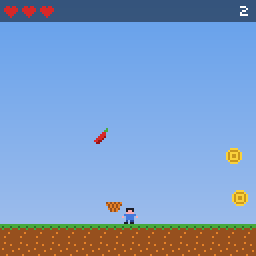
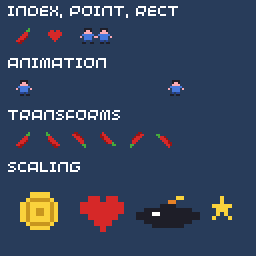
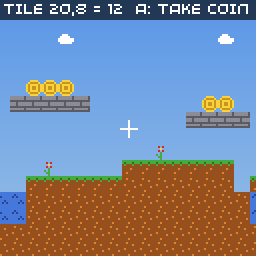
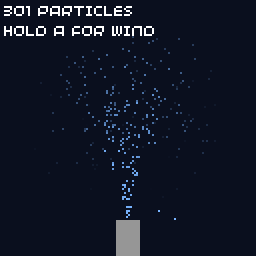
Twelve small programs that each show one part of the SDK, with screenshots and full source.
-
API reference
Every function, type and constant in the
blitnamespace, with what it does on the VGC Zero. -
VGC Zero
The console's hardware, ChiliChip OS, how games are installed, and where saves are kept.
-
Guides
Assets, metadata and cover art, performance on the RP2350, debugging, and publishing a game.
A whole game in one file
#include "32blit.hpp"

using namespace blit;

Point player(60, 60);

void init() {
  set_screen_mode(ScreenMode::hires);   // 128x128
}

void update(uint32_t time) {             // 100 times a second
  if(buttons & Button::DPAD_LEFT)  player.x--;
  if(buttons & Button::DPAD_RIGHT) player.x++;
}

void render(uint32_t time) {             // once per frame
  screen.pen = Pen(20, 20, 30);
  screen.clear();

  screen.pen = Pen(214, 40, 40);
  screen.circle(player, 6);
}
The game loop tutorial explains each part.
What the fork adds
The engine and API are the same as upstream 32blit, so 32blit games and examples still build. On top of that, this fork adds:
- VGC Zero support: the
chilichip_vgcboard, an SSD1351 OLED driver that runs well above 30 FPS, PWM audio mixed on the second core, debounced buttons, and a 16 MB flash layout. - ChiliChip OS: a loader that keeps any number of
.blitgames in flash, a home screen with cover art, a HOME system menu with volume, brightness and battery, screen sleep, and a factory image that sets up a console in one copy. - Install by USB drive: the console appears as a
CHILICHIPdrive; copy a.bliton, eject, and it installs. - System API: games can read the battery, USB state, the player's settings and storage details (System), and save when the player quits (
on_quit). - Desktop builds sized to the console: the SDL build is 128×128, so what you see on your computer is what the console shows.
Getting help
- Report bugs and ask questions on the 32blit-sdk issue tracker.
- Start a new game from the game template.
- The upstream 32blit community knows the engine well; questions about the VGC Zero belong in this fork's issues.
All credit for the engine, the tools and the original Pico port goes to the 32blit team and contributors.